Saved is a bookmark.
This is a library.

Share a reel into BetterSave and it lands in a private library on your iPhone, with the caption, the author, a copy of the video and the song that was playing. Tag it so you can find it again. If the creator deletes the post later, your copy stays.

Download on the App StoreFree for your first 10 keeps. iOS 17 or later.
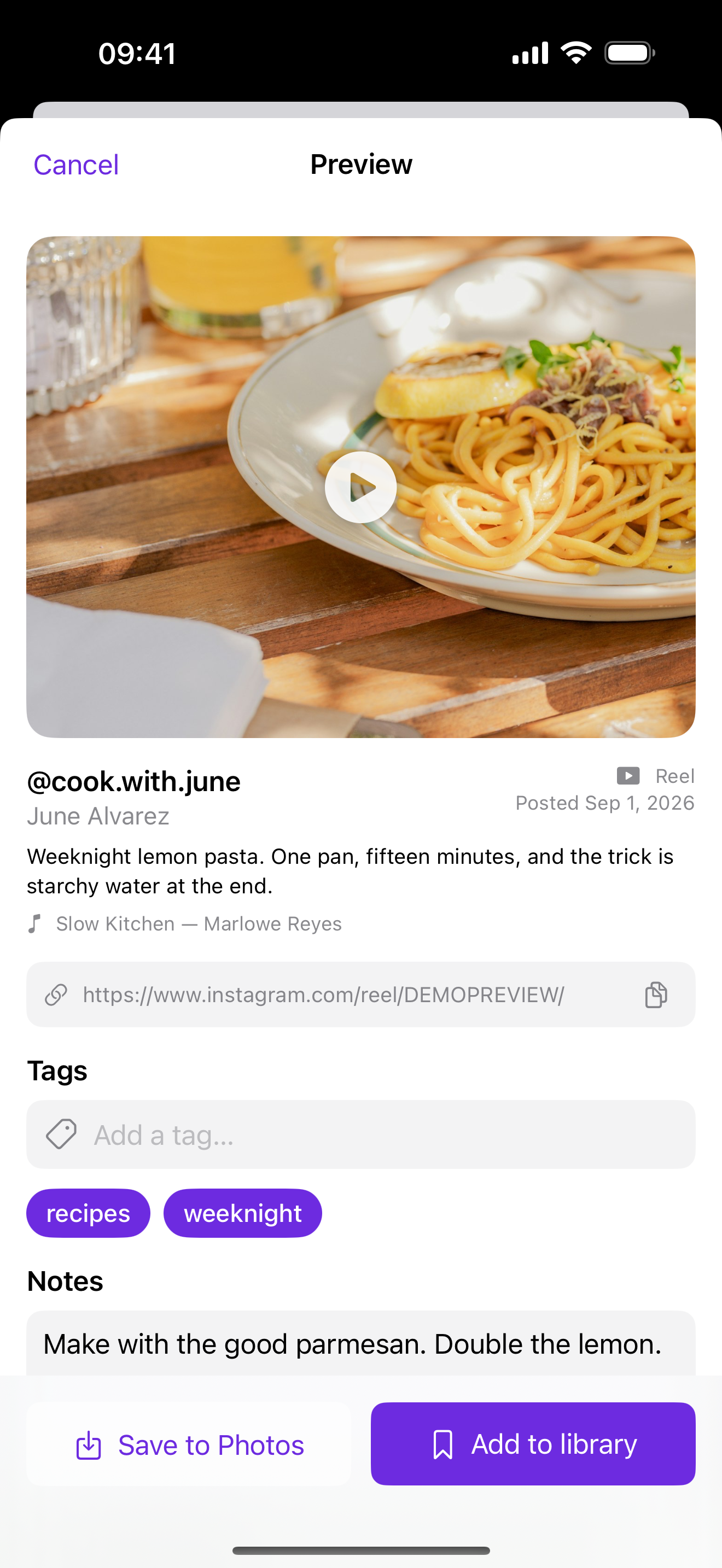
The BetterSave screen: a reel preview with tags and a note, and a Keep button

Why not just use Saved?

Instagram's Saved tab has no search and no tags. It orders itself, and when a creator deletes a post it disappears from your list too. BetterSave does the same job with a copy you control.

Keeping a reel with the tags recipes and weeknight selected
01

Share from Instagram

Tap Share on a reel and choose BetterSave from the share sheet. Pick a tag or type a new one, add a note about why you wanted it, and it goes into your library with its caption and a copy of the video.

You can also paste a link into the Add tab.
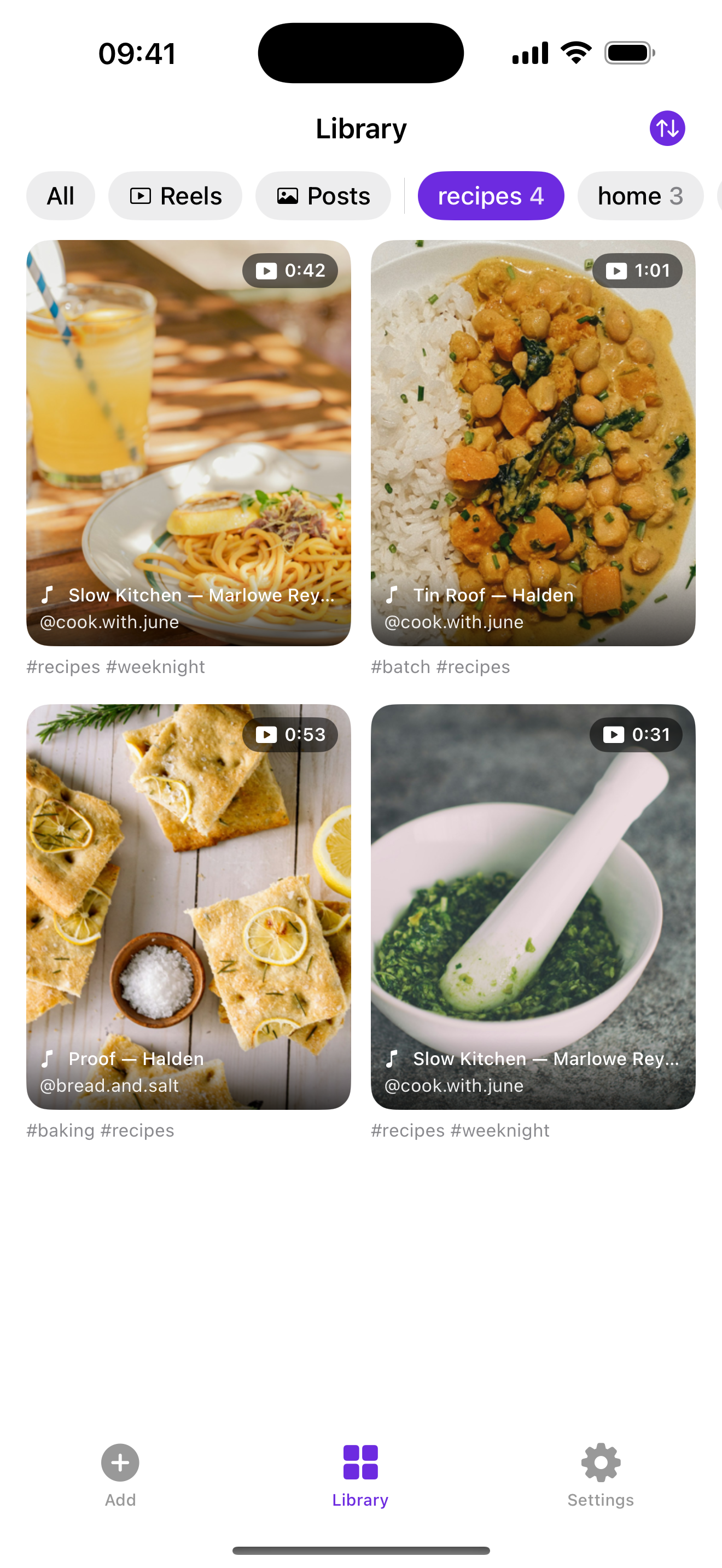
Library grid filtered to the recipes tag
02

Find it by tag or by search

Your library is a grid with tag chips across the top. Tap a chip and the grid narrows to that tag. Search covers captions, authors, songs and your own notes, so a note like "lemon pasta" is enough to get back to a recipe months later.

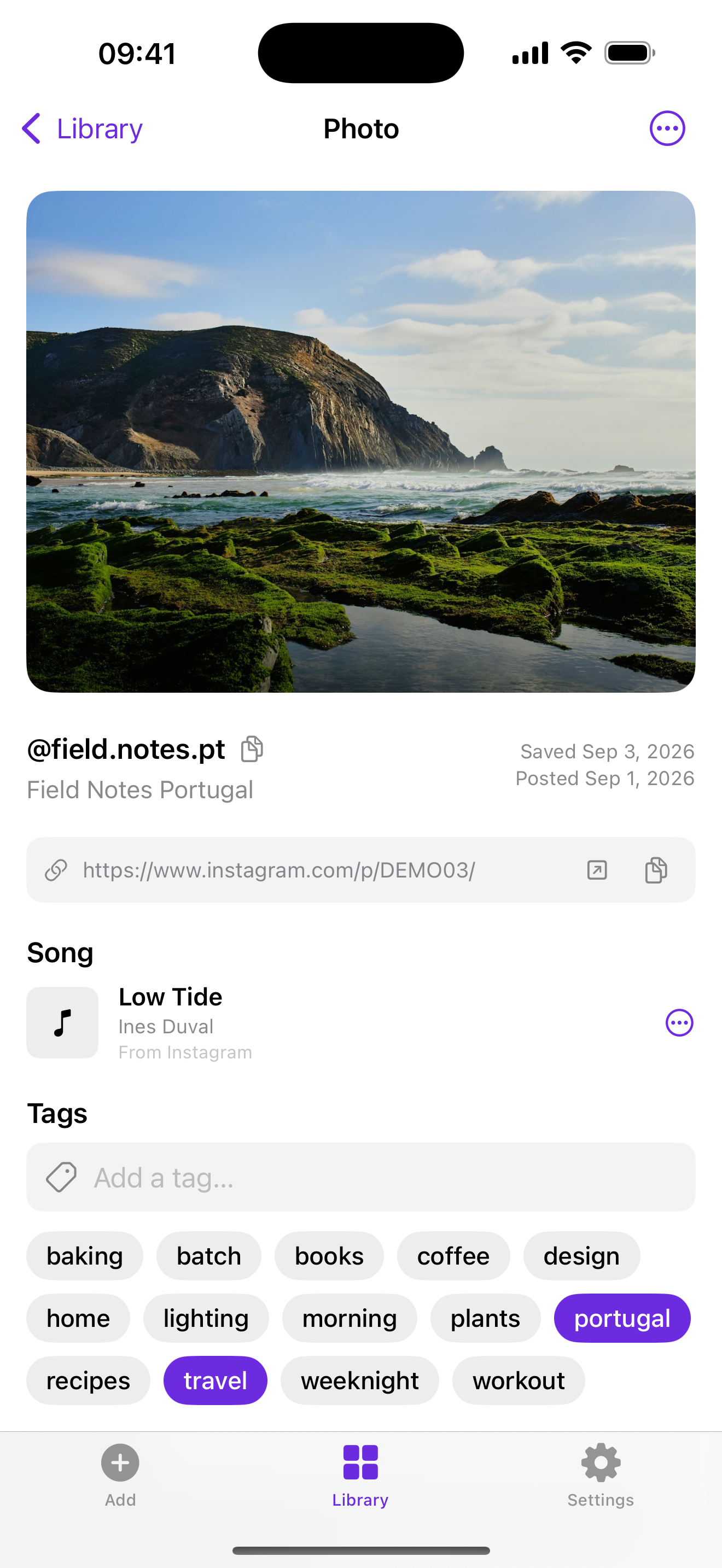
A kept post with its song, tags and notes
03

Which song was that?

If Instagram credits a licensed song, BetterSave saves the title and artist with the post. If the reel uses original audio, BetterSave runs a few seconds of it through Shazam and saves the match. If Shazam gets it wrong, you can edit the title by hand.

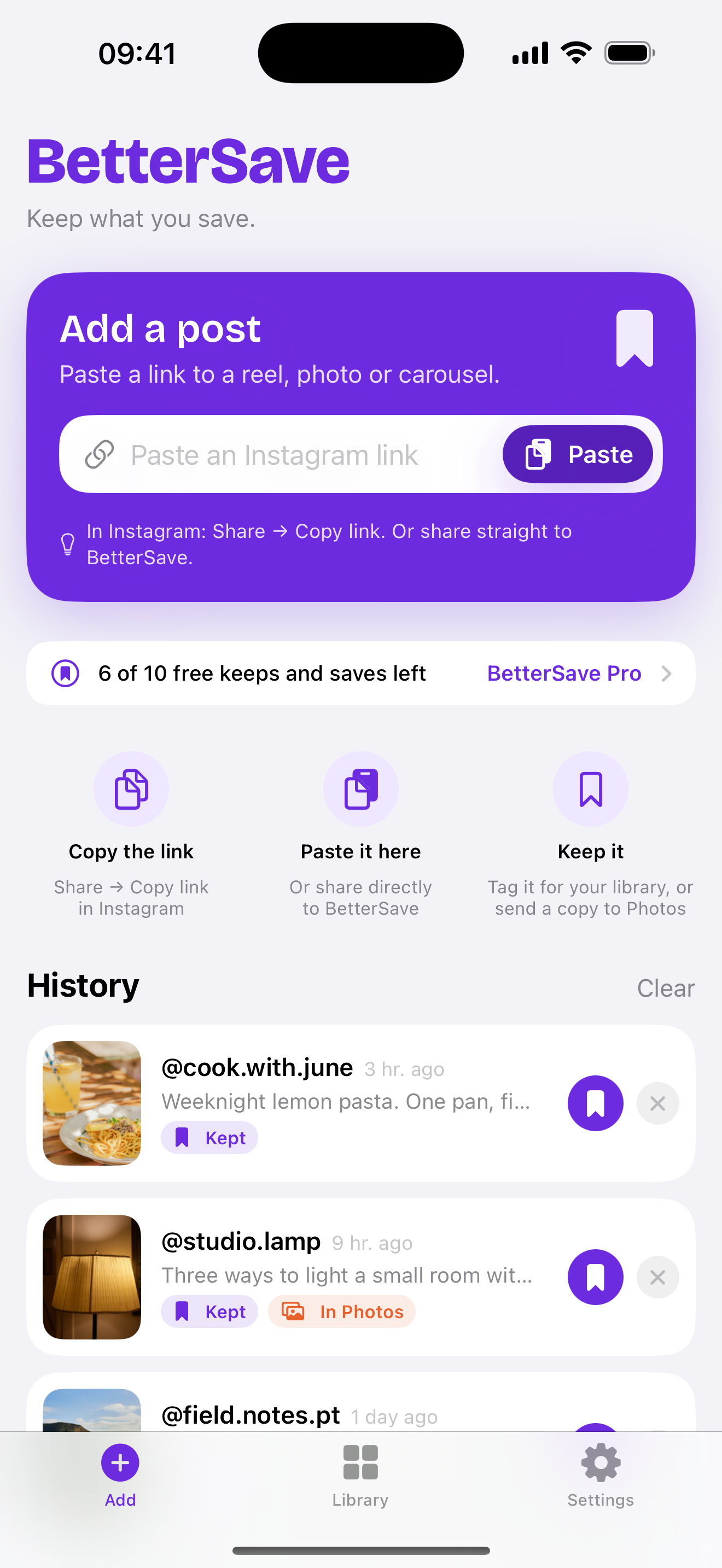
The Add tab with a link field and History
04

Save to Photos

Not everything needs a tag. Save to Photos puts a copy of the video, or all the photos in a carousel, into your camera roll. The History list in BetterSave remembers the original link in case you need it again.

Where your library lives

BetterSave has no account and no server. Your library is a database and a folder of media files inside the app on your iPhone, and it is backed up with the rest of your phone. The one thing that leaves the device is the short audio fingerprint Shazam needs to identify a song.

Questions

Does BetterSave need my Instagram login?

No. BetterSave reads the public post page the same way a browser does when you are logged out. Posts from private accounts can't be fetched, even if you follow them.

Is this allowed?

BetterSave is for your own personal reference, the same as saving a post inside Instagram, except the copy is on your phone. It never posts or shares anything from your account. Please respect creators' rights and ask before you reuse someone's work.

What happens if Instagram changes something?

Instagram has no official way to do this, so from time to time a fetch will fail. When it does, the post stays in your library as pending and BetterSave retries later. We update the app when Instagram changes.

Where is my library stored?

In the app's own storage on your iPhone. It is included in your iCloud or computer backups. Deleting the app deletes the library, so export anything you want to keep first.

Does it work with TikTok or YouTube?

Not yet. BetterSave is built for Instagram reels, posts and carousels.